

Song library and import
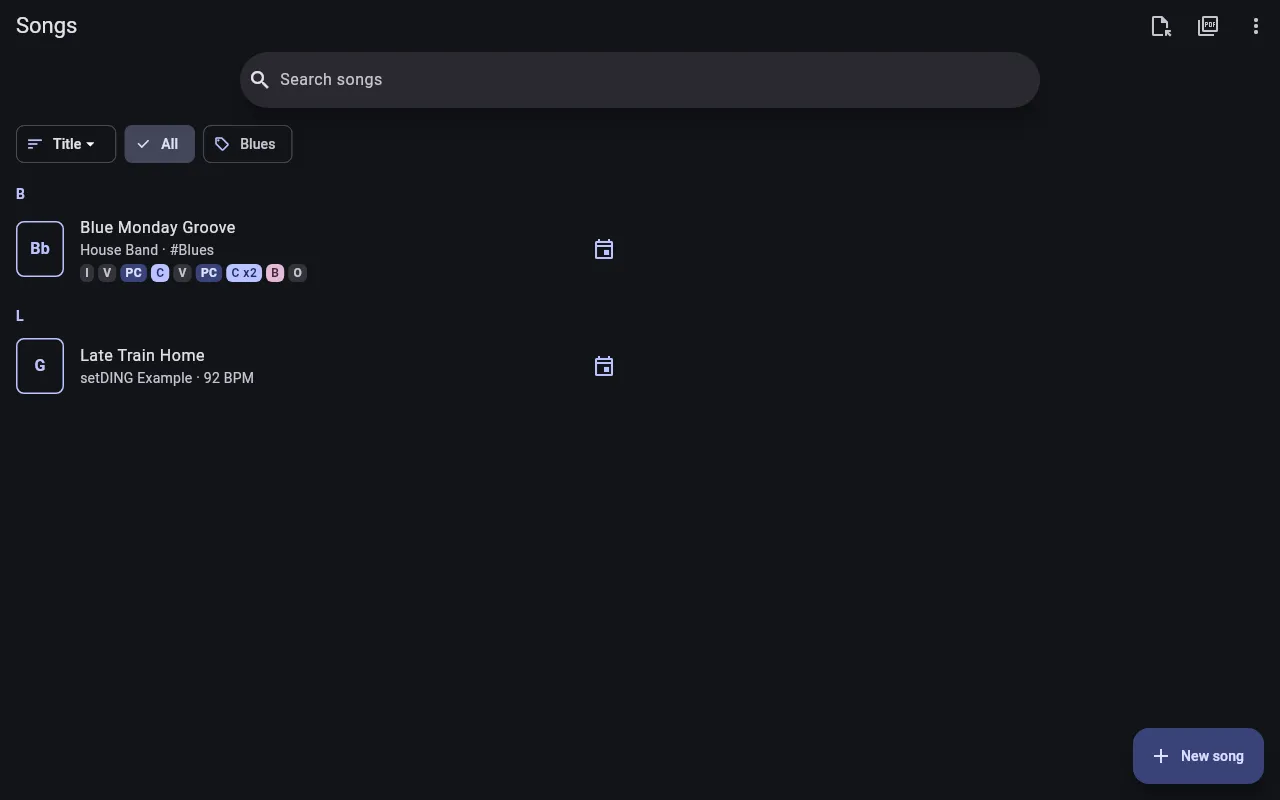
All songs belong to the organization; all its bands share the same song library. Songs shows them.
Who may do what:
- Create and import songs: the organization’s Librarian and admins, and the Leader of a band.
- Edit songs: librarians and admins. A leader may edit a song they created or imported themselves, as long as nobody else has changed it since.
- Delete songs: librarians and admins.
Everybody else sees and plays the songs and adjusts them just for themselves.
Find songs
Section titled “Find songs”- Search songs finds songs by title and artist, and also by their lyrics (Found in the lyrics).
- Sort by Title, Artist, Key or Recently edited.
- If songs have tags (e.g. “Christmas”), the chips above the list filter by them; All shows all songs again.
Small icons next to a song show whether it has PDF attachments, whether it is sheet music (PDF) only, in which upcoming set it is played and whether the selected band has an arrangement for it.
If you are in several organizations, switch at the top with Switch song library.
Write a song
Section titled “Write a song”- New song opens the ChordPro editor.
- New PDF song creates a song with just a title, to which you then attach sheet music – for pieces that only exist as sheet music.
Import ChordPro files
Section titled “Import ChordPro files”- On Songs, tap Import files.
- Supported are
.cho,.chordpro,.chopro,.crd,.pro,.txtand ZIP archives containing such files – including the ChordPro files you download from SongSelect. - If the files write H instead of B, select Files use German notation (H/B). The chords are then converted on import.
- Tap Choose files.
setDING checks the imported songs. If they contain places that will probably not be shown as intended, e.g. a bracket that is not closed, Check the import appears. Fix automatically repairs the places with a clear fix; fix the rest in the editor. These songs are marked with a warning icon in the list.
Export, copy, delete
Section titled “Export, copy, delete”In a song’s ⋮ menu:
- Export saves the song as a ChordPro file.
- Copy to band copies the song into the song library of another organization in which you may create songs. Bands of the same organization share their songs anyway. Several songs at once: the song list’s ⋮ menu → Select.
- Delete deletes the song and removes it from all sets. Right afterwards, Undo brings it back.
Conflicts
Section titled “Conflicts”If two people changed the same song at the same time, one of them offline, the song says This song was changed on the server and on this device. Compare with Show server version, then decide: Keep mine, Use server version or Keep both (your version becomes a song of its own).