

Account and sync
setDING works without an account too, but only on your device. With an account you share songs and sets with your band, and your personal adjustments and settings are on all your devices.
Sign in and create an account
Section titled “Sign in and create an account”- In Settings → Account & sync, tap Sign in.
- Sign in with your Email and Password, or tap No account yet? Create one. Your Name is how your bandmates see you.
- If the server asks for a confirmation, you get an email. Confirm your address with the link in it, then sign in.
If you received an invitation, open the invitation link first or tap Join with invitation (see Invitations). Many servers only accept new accounts with an invitation.
Forgot password? sends you an email to reset it.
You stay signed in, even if you are offline for a long time.
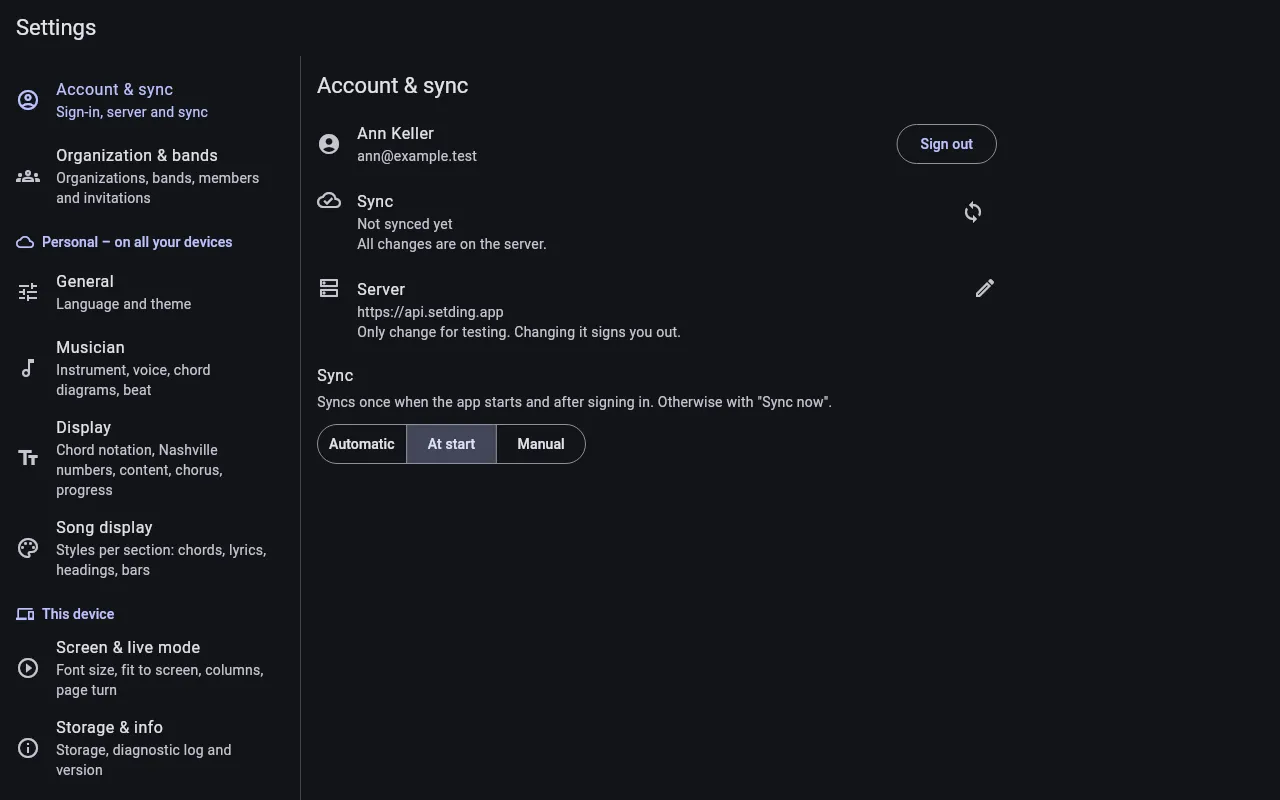
Everything you change is saved on your device first and then sent to the server. Under Sync you choose when:
- Automatic – at start, a few seconds after changes, when something changes on the server, and every 5 minutes.
- At start – once when the app starts and after signing in.
- Manually – only when you tap Sync now.
Sync shows when the last sync was, whether changes are still waiting to go to the server and whether PDFs are still being downloaded. Sync now syncs right away; so does pulling down the list on Sets or Songs.
Without a connection you keep working as usual. setDING says No connection – changes will be sent later. and catches up as soon as you are back online.
Update setDING
Section titled “Update setDING”If your version is too old for the server, Please update setDING appears. Your changes stay on the device and are sent after the update. How to update is described in Installation.
Sign out
Section titled “Sign out”Sign out ends the sign-in on this device. Songs and sets on the device are kept.
Changing the Server field signs you out.