
Display and instrument
In Settings you choose how setDING shows songs to you. The song itself stays unchanged for everybody.
The settings under General, Musician, Display and Song display are personal: they belong to your account and apply on all your devices. Screen & live mode and Storage & info apply only on the device where you set them – a phone needs a different font size than a tablet.
Display
Section titled “Display”- Chord notation – International (B, Bb) or German (H, B). In German notation, the chord called B internationally is H, and Bb is B.
- Show Nashville numbers – chords as scale degrees of the key, e.g. 1, 4, 5, 6m. Handy when the key changes often. Needs a key in the song. You can also switch single songs in the personal adjustments or in live mode.
- Chord style – how chords are spelled:
- As written – the way they are in the song,
- Standard – e.g. Am7, Cmaj7, Em7b5,
- Jazz – e.g. A−7, CΔ7, Eø7.
- Raise extensions – extensions smaller and raised, e.g. C⁷. Needs the Standard or Jazz style.
- Content – Lyrics and chords or Lyrics only, e.g. for singers.
- Repeated chorus – a chorus that is repeated: Show in full, Label only, or Automatic: as a short label only if the song would otherwise not fit well on the screen.
- Progress bar of the set – the thin bar in live mode.
- Show freehand annotations – your own drawings on songs and sheet music, see Freehand annotations.
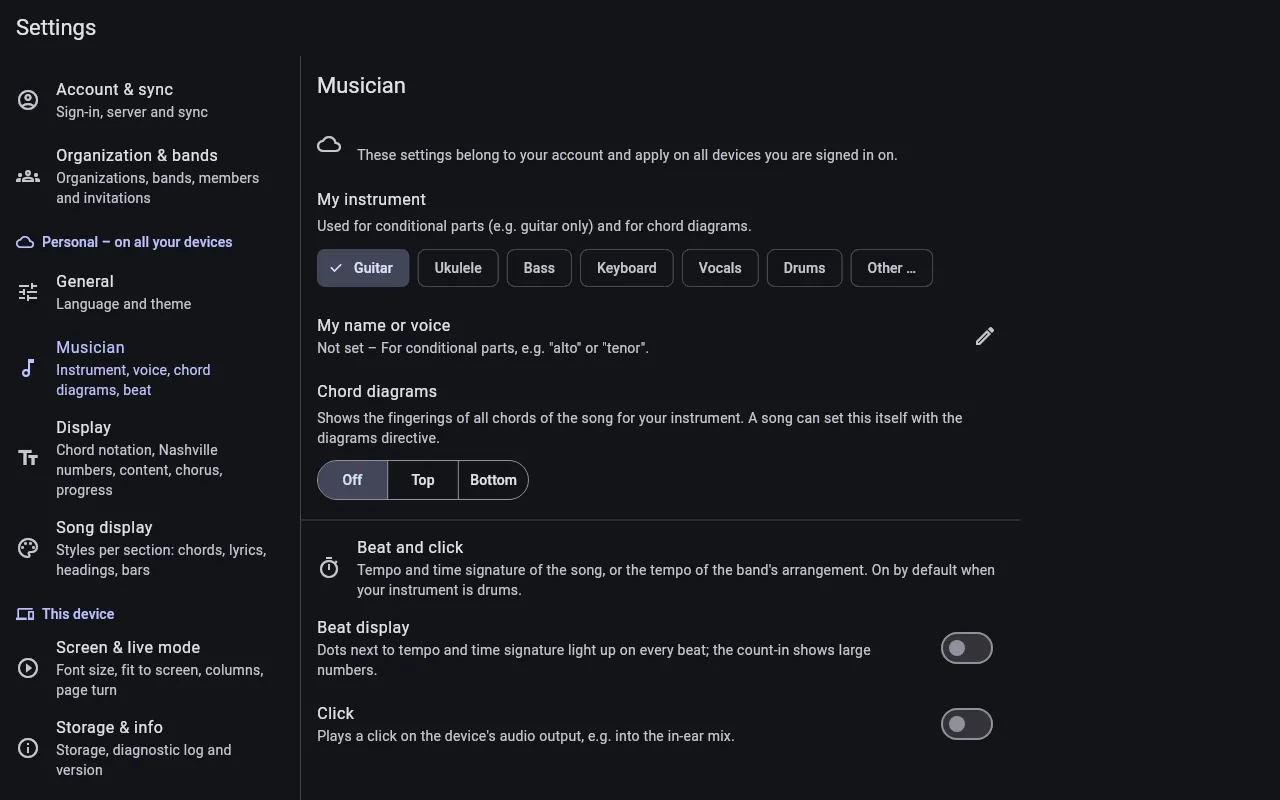
Musician
Section titled “Musician”- My instrument – Guitar, Ukulele, Bass, Keyboard, Vocals, Drums or Other …. Songs can contain parts for one instrument only, e.g. a guitar solo as a tab; you see the parts for your instrument. The instrument also decides the chord diagrams.
- My name or voice – for parts for one voice or person only, e.g. “alto” or “tenor”.
- Chord diagrams – shows the fingerings of all chords of the song for your instrument, at the Top or Bottom, or Off.
- Beat and click – see Beat, click and drums.
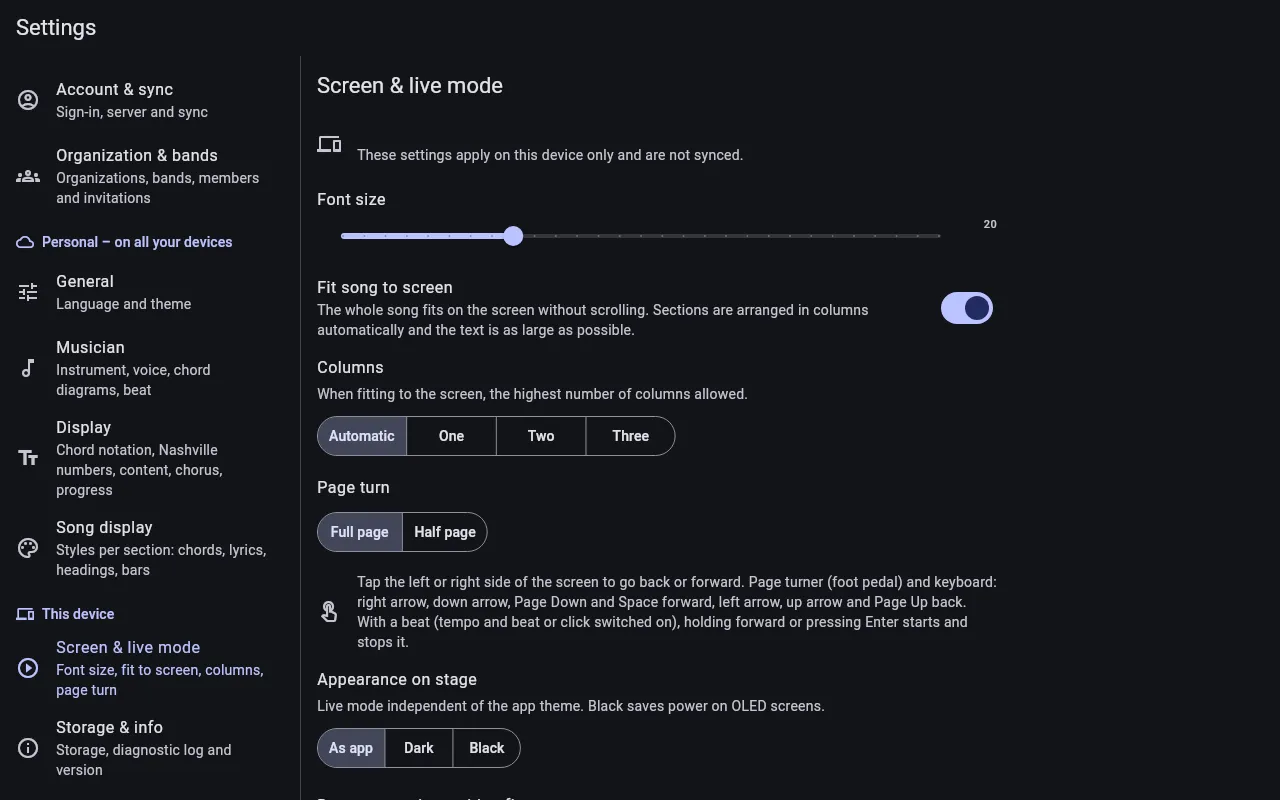
Screen & live mode
Section titled “Screen & live mode”These settings apply to this device only:
- Font size – the base font. Make single songs larger or smaller in the personal adjustments or in live mode.
- Fit song to screen – the whole song fits on the screen without scrolling, in columns and with text as large as possible. Switched off, the text keeps its size and you scroll.
- Columns – the highest number of columns when fitting: Automatic, One, Two or Three.
- Page turn – Full page or Half page: with half-page turns, the top half already shows the next page while you are still playing the bottom half.
- Appearance on stage – As app, Dark or Black, independent of the app theme. Black saves power on OLED screens.
- Draw annotations with a finger – for devices without a stylus; otherwise only a stylus draws and fingers keep turning pages.