

Invitations
New people join the organization with an invitation link – by group chat, email or QR code.
Invite
Section titled “Invite”There are two kinds of invitations:
- Into the organization: admins of the organization open the organization and tap Invite people. Whoever opens the link becomes a member of the organization; an admin can then add them to a band.
- Straight into a band: the band’s Leader and the admins open the band and tap Invite people there. Whoever opens the link joins the organization and this band.
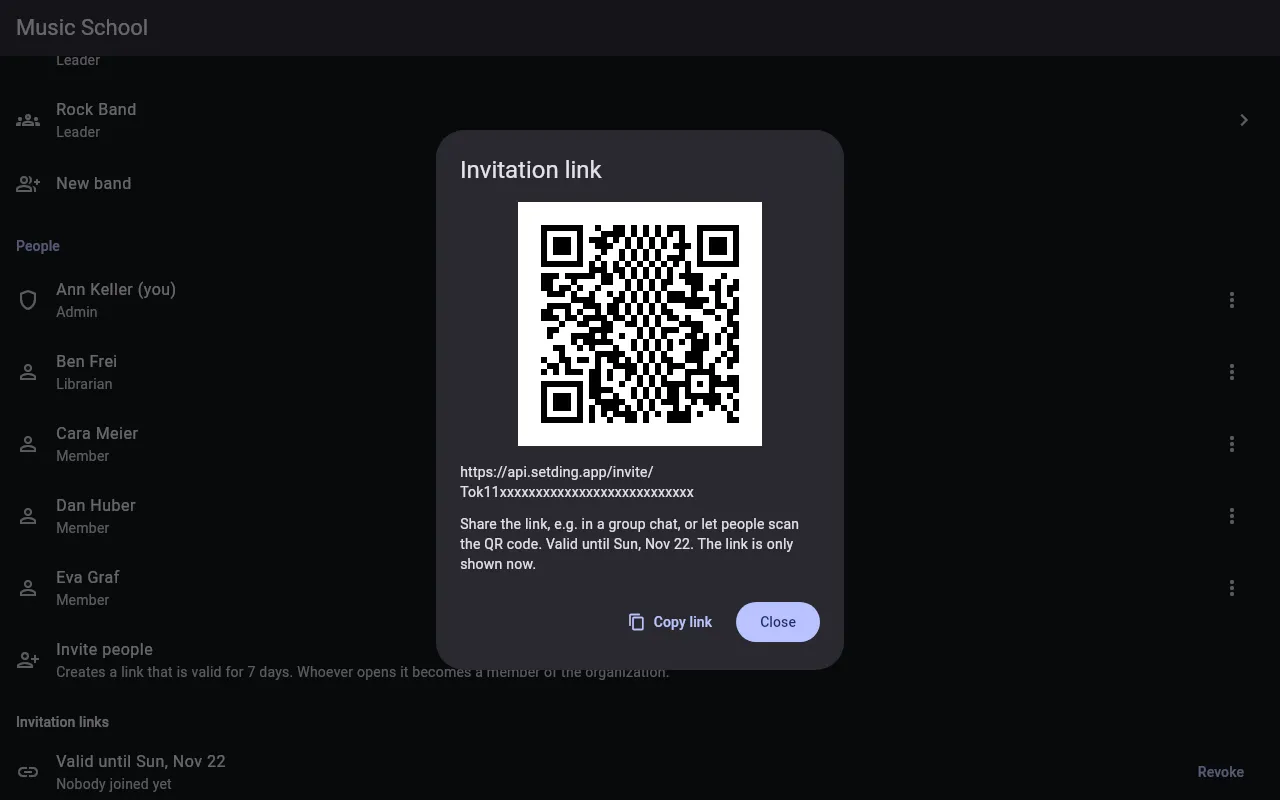
setDING shows the Invitation link and a QR code. Share the link with Copy link or let people scan the QR code. The link is only shown now and is valid for 7 days; several people can use the same link.
Manage invitations
Section titled “Manage invitations”Invitation links lists the links of the organization or the band, how long they are valid and who joined with them. Revoke stops a link at once; people who already joined stay members.
Follow an invitation
Section titled “Follow an invitation”- Install setDING.
- Open the invitation link or scan the QR code. If the app does not open by itself, copy the link and paste it in the app: in Settings → Account & sync → Join with invitation, or, if you are already signed in, in Organization & bands → Join.
- Sign in, or create an account if you do not have one yet.
- Confirm with Join.
You then see the songs of the organization and, for an invitation into a band, its sets too.
If setDING says This invitation has expired or This invitation was revoked, ask for a new link.
Many servers only accept new accounts with an invitation link. Then open the link first and create the account after that.