

Offline ready, print and share
Offline ready
Section titled “Offline ready”The list of sets and the set itself show whether the set can be played on this device without a network:
- Offline ready – all songs and their PDF attachments are on the device. You do not need Wi-Fi for the gig any more.
- Not offline ready – a song or a PDF is still missing. Connect the device to the network and wait until the sync is done, or pull down the list of sets to sync right away.
Before the gig, check that every device says Offline ready.
Print the set list
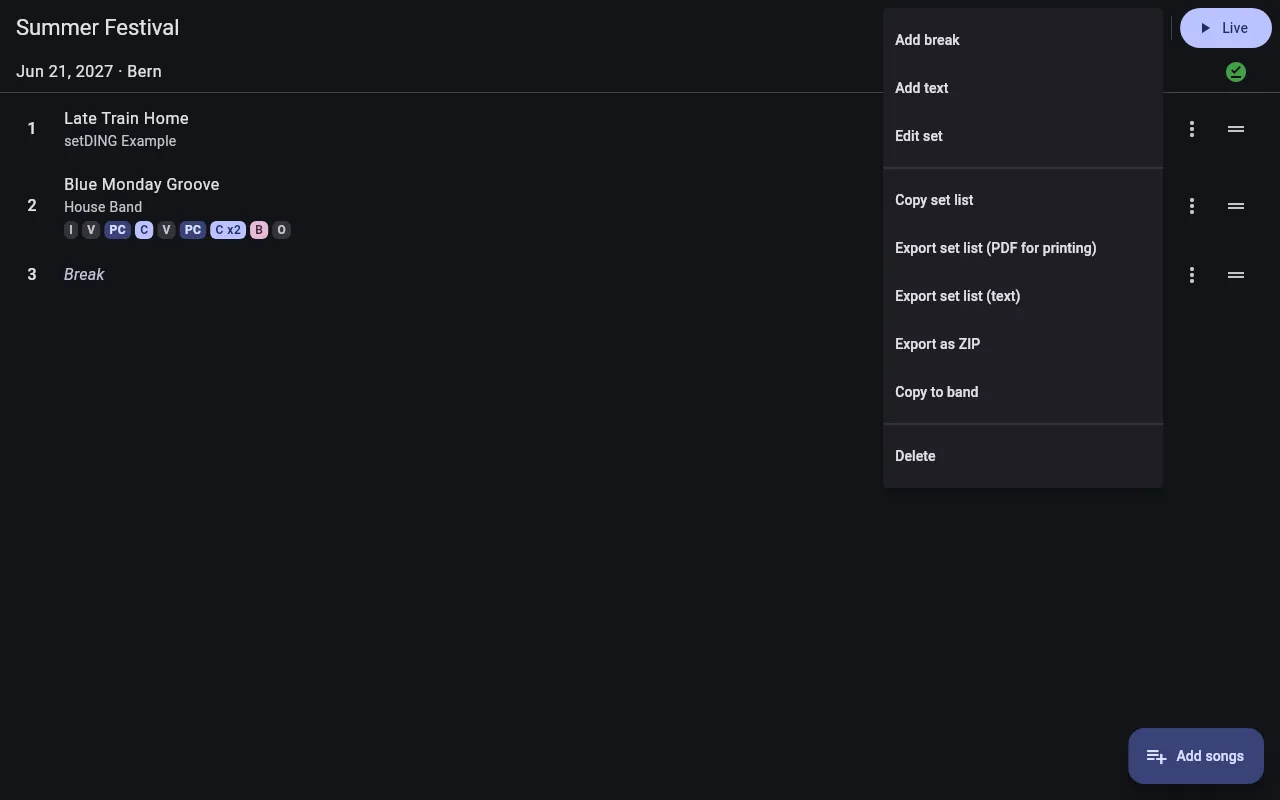
Section titled “Print the set list”In the set’s ⋮ menu, Export set list (PDF for printing) creates an A4 page in large type: the set’s name, date and venue, then every song with its number, key and song sequence, as the band plays it in this set. Breaks and texts are separator rows. Save the file and print or share it with your device’s PDF viewer – for the mixing desk or the edge of the stage, for example.
Share the set list
Section titled “Share the set list”- Copy set list puts the set list on the clipboard as text, to paste into a group chat or an email.
- Export set list (text) saves the same text as a file.
Export the songs as a ZIP
Section titled “Export the songs as a ZIP”Export as ZIP saves all songs of the set as ChordPro files with their PDF
attachments in a ZIP archive, numbered in the order of the set, plus the set list as
setlist.txt. Use it to pass the songs on to someone outside your band, or as a
backup.